A design system for Power BI
Build better Power BI dashboards. Faster.
Premium dashboard templates with executive-ready layouts, proven UX patterns, and polished design. Stop starting from scratch.
Get Template — $69One-time purchase • includes PBIX + theme + docs
Built by a Power BI developer focused on executive dashboard UX.
See the template in action
Interactive preview — explore the pages, click around, see the quality for yourself.
This template is designed to be customized. Use our free Theme Generator and Icon Generator to match your brand colors and style.
What you get
Everything you need to build polished, professional dashboards without starting from a blank canvas.
Executive Dashboard Layout
KPIs, trends, and detail views structured for decision-makers. Navigate between overview and drill-down pages.
Power BI Theme File
Consistent colors and fonts across all visuals. Customize with our free Theme Generator.
Built to Customize
Replace the theme with your brand colors using the Theme Generator. Add custom icons with the Icon Generator. The structure stays, the look becomes yours.
UX Patterns
Navigation, drill-through, and tooltips already configured. Users learn once and never get lost.
Mock Data Model
See everything working immediately with demo data. Easy to swap with your own data sources.
Documentation
Step-by-step guide to customize, connect your data, and make it yours.
What's inside the download
The difference design makes
Same data. Different experience.
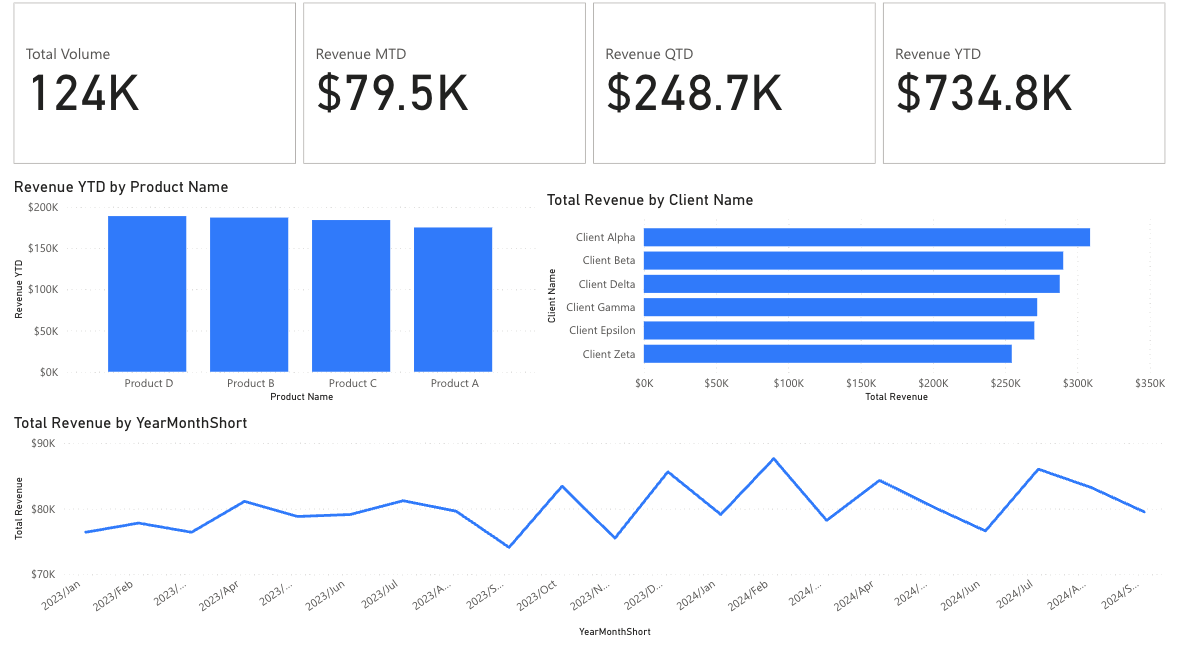

- Cluttered visuals competing for attention
- Users hunt for the right page
- Every report looks different
- Time spent explaining the report
- Clear hierarchy that guides the eye
- Intuitive navigation they learn once
- Consistent design users recognize
- Time spent discussing the insights
Who this is for
BI Blueprint is designed for specific use cases. Here's how to know if it's right for you.
Perfect for you if...
- Power BI developers who want polished, professional layouts
- Consultants delivering dashboards to clients
- Analysts presenting to executives and leadership
- Teams who want consistent design across reports
Not the best fit if...
- You need plug-and-play reporting with live data connections
- You're looking for industry-specific analytics solutions
- You're a complete beginner looking for Power BI tutorials
BI Blueprint is a design starting point — you'll connect your own data and customize it to fit your needs.
How it works
From download to published dashboard in three simple steps.
Download
Get the .pbix file, theme, and docs
Customize
Use our free tools to match your brand, then connect your data
Publish
Deploy your polished dashboard
A complete design system for Power BI
Templates, themes, icons, and UX patterns — designed to work together.
Start with executive-ready layouts
Pre-built dashboard pages with KPIs, trends, and drill-through patterns.
Apply a matching theme in minutes
Use the Theme Generator to match your brand colors.
Use icons and UX patterns for consistency
Create custom KPI icons with the Icon Generator.
Explore the design system
Ready to build better dashboards?
Get the complete BI Blueprint package and start creating polished, professional Power BI reports today.
One-time purchase — instant download
- Executive-ready dashboard layout
- Power BI theme file (customizable)
- Documentation & customization guide
- Free tools to personalize your brand
Includes PBIX template + theme file + documentation
More templates coming soon
Sign up to be notified when we release new Power BI templates and design resources.
No spam. Unsubscribe anytime.